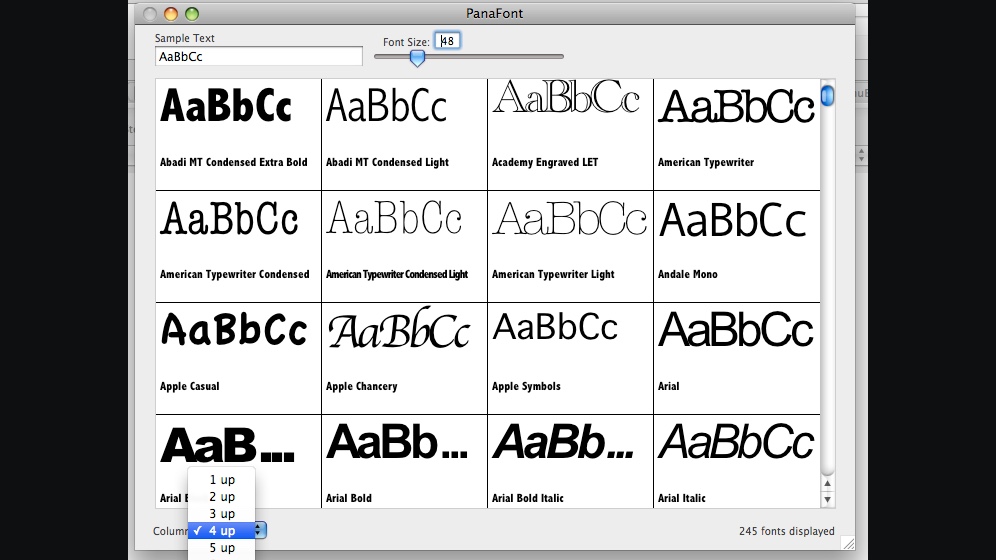
Sample Text. Font Size. 4 up. 245 fonts displayed.
A field for your own words, defaulting to AaBbCc. A size slider. A menu offering 1 up through 8 up. A grid of tiles, each with its font name. A running count of what you were looking at.
A short family history
It was called PanaFont then, it cost a few dollars, and you unlocked it by typing in a serial number. The Mac App Store would not exist for another four years. Here is where FontAudition actually comes from — and how little the good idea has had to change.

2007 and onwards
The source code still exists: the REALbasic project for 1.0.0b1 is dated 25 July 2007, sitting in a folder alongside icon artwork from that April and the demo videos shot the same month. Being REALbasic, it had the pleasant side effect of producing a Windows build too — there is a PanaFont 1.0.1 PC folder in the archive, and we shall not be talking about it again.
Under the Help menu, between "PanaFont Help" and nothing else of consequence, sat Enter Serial Number and Purchase…. That was the shareware bargain: download it, try it, and if it earned its keep you paid and typed in a code. Payment went through eSellerate, the sort of company that existed entirely so one-person software shops did not have to become payment processors.
Apple's part was a listing in its Downloads directory on apple.com — the place you went to find Mac software before there was a Store to find it in. Apple retired that directory in 2011, which is why the original page is not around to link to.
1.0.1, then 1.0.2 in February 2009, then 1.0.3 in October 2010. The last build in the folder is dated 2013 and its filename ends "NO COPY PROTECTION", which is roughly what “giving back” looks like when you are fond of something.
Eight years after that last build, the idea returned to the Mac App Store — on 8 July 2021, this time as a Final Cut Pro workflow extension. It sold under that plain name for five years. The WFE on the end only arrived in 2026, when a second, standalone app finally made it necessary to say which one you meant.
FontAudition WFE puts it inside Final Cut Pro, beside the timeline. FontAudition Desktop is the standalone descendant, the one PanaFont would recognize instantly. Rewritten from nothing, sandboxed, notarised, sold through a Store that did not exist when the first version shipped — and still, underneath, a window that shows you your words in every font you own.
The DNA
The DNA is not a figure of speech here. The controls are the same controls, in the same places, doing the same job — because they were right the first time.
A field for your own words, defaulting to AaBbCc. A size slider. A menu offering 1 up through 8 up. A grid of tiles, each with its font name. A running count of what you were looking at.
A field for your own words, still defaulting to AaBbCc. A size slider, now 32 to 500. Columns, still one to eight. A grid of tiles, each with its font name. A running count of what you are looking at.
Everything else is new — glyph-coverage filtering, connected font sources, Google Fonts, collections, PDF font sheets, and a drag that carries live vector artwork into Illustrator. But the shape of the thing has not moved in nineteen years, and the sample text still says AaBbCc.
Four icons, one idea
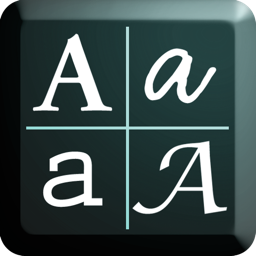
PanaFont's icon was four letterforms in a two-by-two grid, each set in a different face — the app's whole proposition, drawn at 128 pixels. Two eras of Mac icon fashion later, the family still has the same job.
 PanaFont, 2007
The original, at 128 pixels, because that was the size an icon needed to be. Four faces, four cells: the app in miniature.
 PanaFont, 2011
Redrawn at 512 pixels when Mac icons grew up, with a teal cast over it. The layout did not change, because there was nothing wrong with it.
 FontAudition WFE, today
A single letterform now, because the grid moved into the app itself where it belongs. Orange, to sit apart from its sibling at a glance in the Dock.
 FontAudition Desktop, today
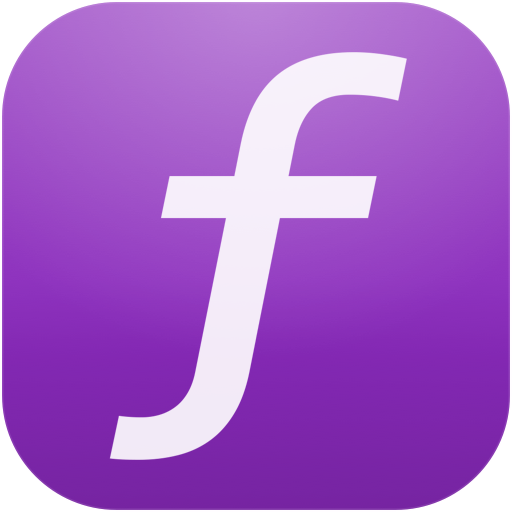
The standalone one, the line that runs straight back to that black tile. Different letter, different decade, same question: what does this look like in every font I own?
The bottom line
It is also the opinion of the person who has been staring at this particular window since 2007, which we submit is either the best or the worst possible qualification.
Put your own headline in it, at the size you are actually setting, next to every font you own. Then go and try that anywhere else. We are quietly confident.
Where it lives now
FontAudition WFE is on the Mac App Store today for Final Cut Pro editors. FontAudition Desktop, the direct descendant of the app in that screenshot, is on the Mac App Store today as well. PanaFont itself is retired, unsupported, and quite happy about it.