
Everything a publication needs to write about or review CoreTrim. Take what you need; no permission or attribution request is attached to any of it.
| CoreTrim-Fact-Sheet.html (PDF) | The main document — at-a-glance facts, the problem, the solution, key features, approved boilerplate you can quote verbatim, and a founder quote. Opens in any browser; prints cleanly to PDF. |
| CoreTrim-Supported-Formats.html (PDF) | The format reference — which formats trim losslessly, which are copied in full and why, camera-by-camera coverage, and how multicam, compound clips and auditions are handled. |
| CoreTrim-Press-Kit.html | This page. |
| CoreTrim-Sample-Report.html | A complete, real export report — the HTML CoreTrim writes alongside every run. This is the export shown in the screenshots. |
| assets/CoreTrim-icon-1024.png | App icon, 1024 × 1024 PNG with transparency. |
| assets/ (screenshots) | Full-resolution app screenshots — see the list below. |
CoreTrim is a Workflow Extension that exports a Final Cut Pro project with only the media the timeline actually uses, trimmed by stream copy with no re-encoding, and relinked so it imports back into Final Cut identically. Every source must prove it can be trimmed flawlessly before CoreTrim commits to a method, and the finished archive — media and project file alike — is verified again before it ships. Originals are never touched, anything that can't be proven safe is copied in full, and every export includes a report of exactly what was done. Multicam projects can keep all angles or be checkerboarded down to the shots in the cut.
Email the press contact and you'll get a Mac App Store promo code, usually the same day. If you'd like a walkthrough, a specific workflow demonstrated, or an interview, just ask.
CoreTrim installs as a Final Cut Pro extension, so there's no separate app to launch. Installing it registers the extension automatically; open Final Cut Pro and choose Window → Extensions → CoreTrim.
Then drag a project from the browser into the CoreTrim panel. Good things to put it through:
Click any image for the full-resolution PNG, or use the download link under it. The app icon is here at 1024 × 1024 with transparency. All free to use, no attribution requested.
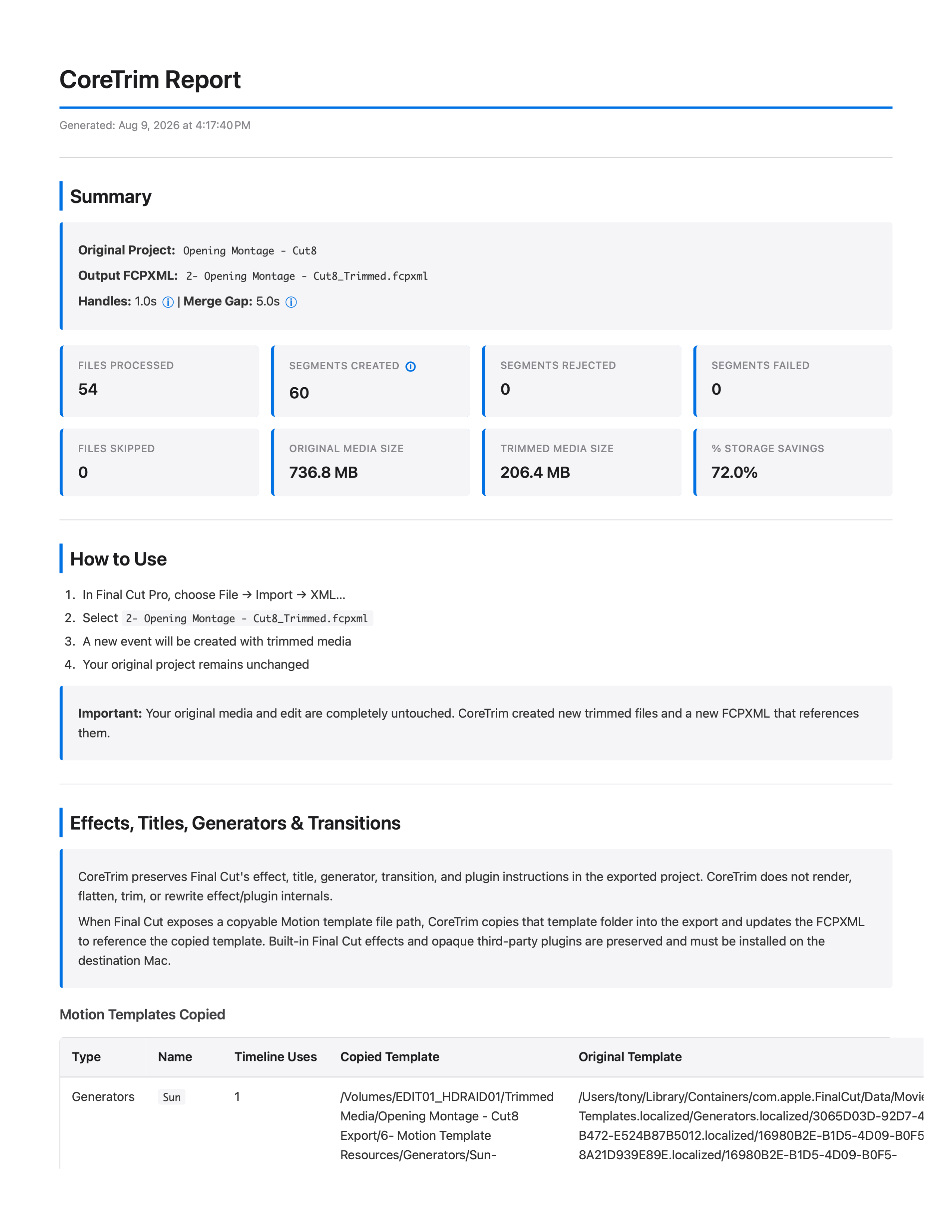
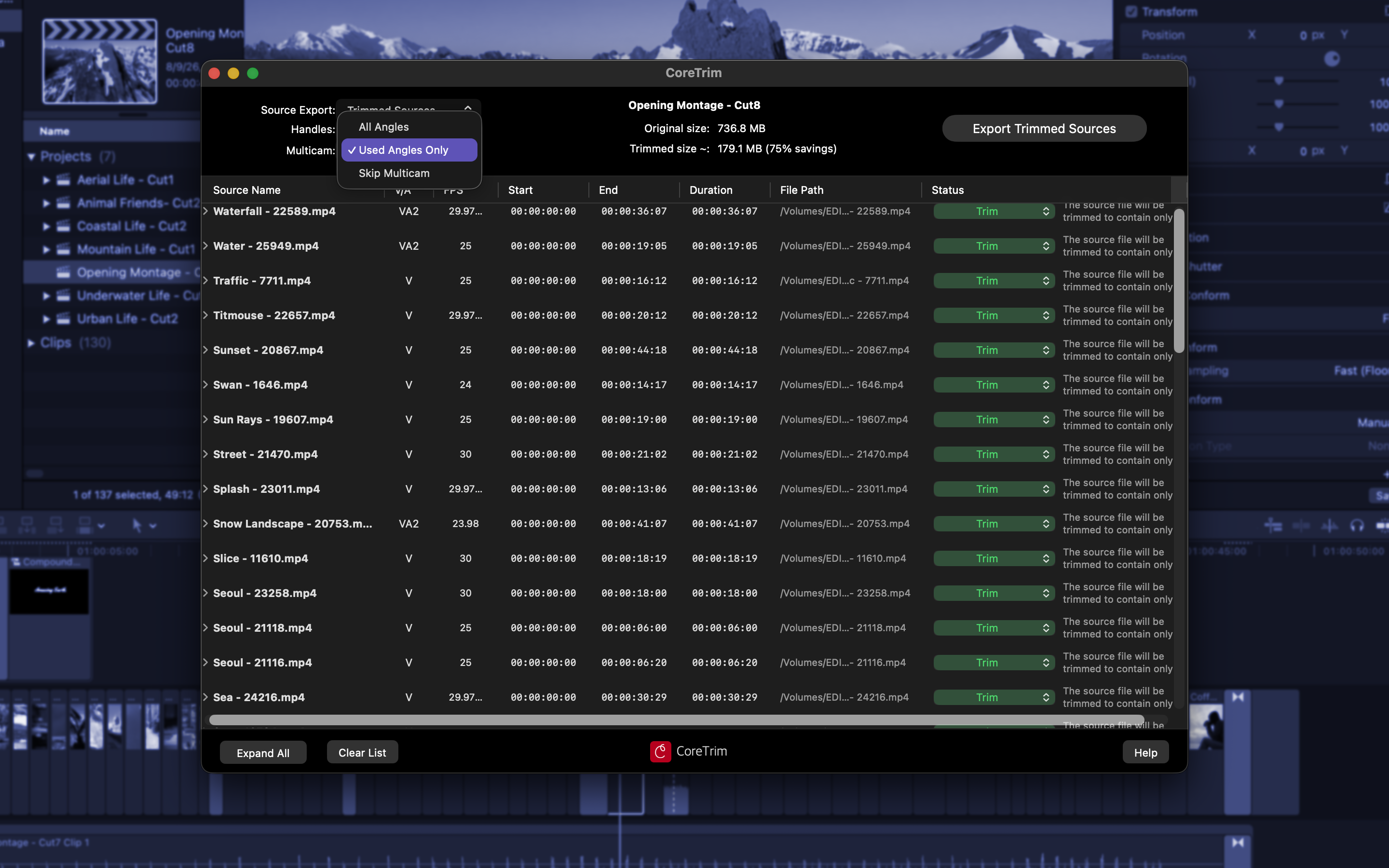
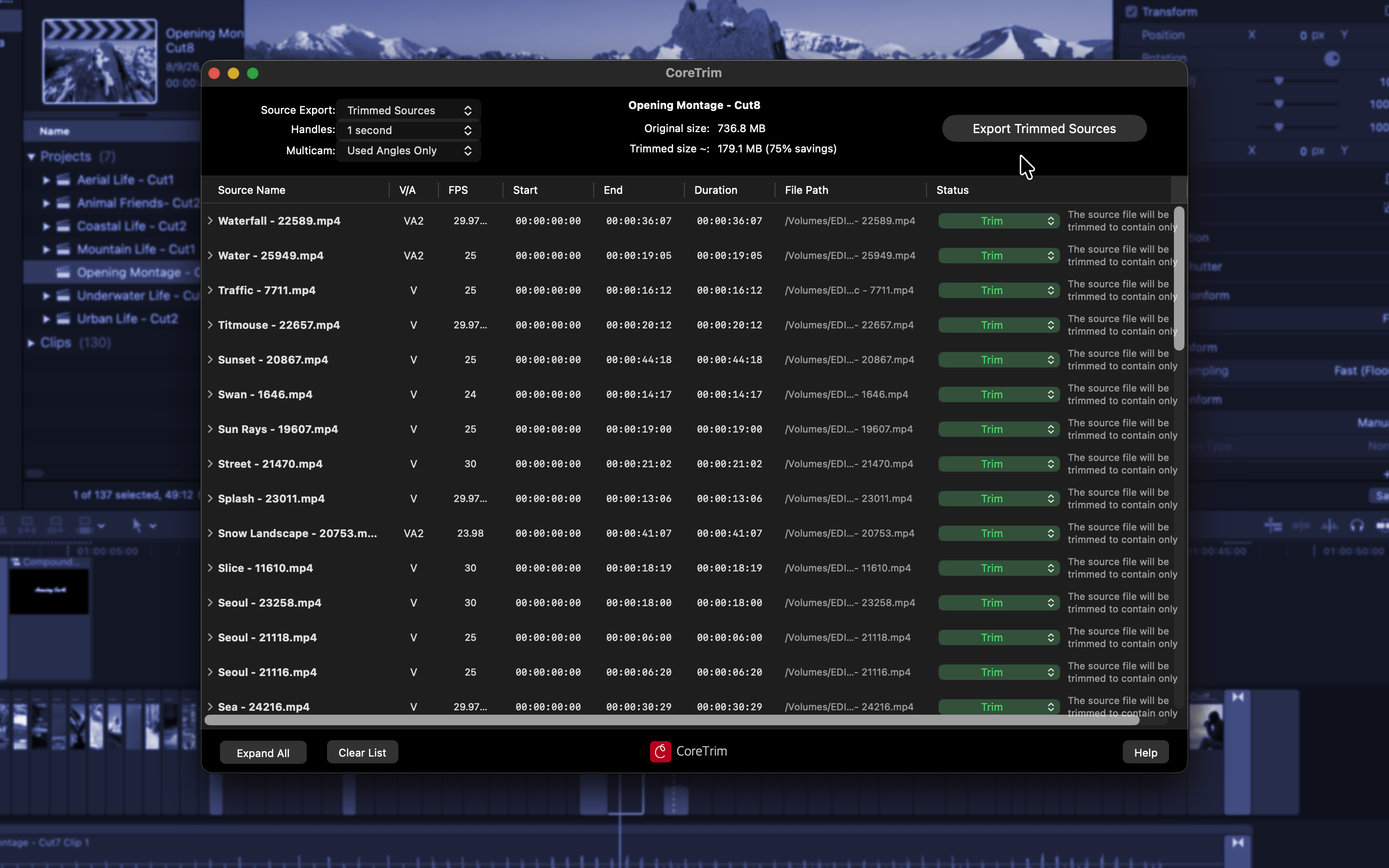
A note on the numbers: CoreTrim's panel shows a projected size and saving — the estimate you weigh before committing to an export, marked with a ~. The report states the actual result once the export has run. That's why the figure in the app screenshots (179.1 MB, 75%) differs slightly from the report (206.4 MB, 72%): they're the same project at two different moments, not two different claims.
Additional screenshots, higher resolutions, or a short screen recording are available on request.
CoreTrim-Sample-Report.html is a genuine report from the project in the screenshots — not an excerpt or a mock-up. Every export writes one.
It's the most direct answer to the questions a reviewer tends to ask: what happens to files that can't be trimmed safely, and how would an editor know the project survived intact. The report lists every source with the decision CoreTrim made and the reason in plain English, the per-file sizes before and after, which Motion templates were copied into the export, and the counts that matter — segments created, rejected, failed. In this run: 54 files, 60 segments, 0 rejected, 0 failed, 736.8 MB down to 206.4 MB.
| Developer | Tony Black — Edit-Tools |
| Platform | Mac App Store |
| Availability | On the Mac App Store now — released 10 August 2026 |
| Version | 1.2 |
| Requirements | macOS 15.7 or later, Final Cut Pro 10.8 or later; Apple silicon and Intel |
| Price | US$34.99 — one-time purchase, no subscription |
| Privacy | Runs entirely on the user's Mac. No account, no uploads, no telemetry — media never leaves the machine. |
The app name, icon, screenshots, boilerplate, and quote in this kit may be reproduced freely in coverage of CoreTrim, in print or online, without asking first. The only thing we ask is that screenshots aren't altered in ways that misrepresent what the app does.