| What it is | A Workflow Extension for Final Cut Pro that exports a project with only the media the timeline actually uses, relinked to import back into Final Cut identically |
| Developer | Tony Black — Edit-Tools |
| Availability | On the Mac App Store now — released 10 August 2026 |
| Price | US$34.99 — one-time purchase, no subscription |
| Version | 1.2 |
| Requirements | macOS 15.7 or later, Final Cut Pro 10.8 or later (Apple silicon and Intel) |
| Privacy | Runs entirely on the user's Mac — media is never uploaded |
| Press contact | enquiry@edit-tools.com |
| Review copies | Mac App Store promo codes available on request — email the press contact |
| Web | edit-tools.com/coretrim.html |
A finished edit rarely plays more than a fraction of the media it links to. When a project is archived or handed off, all of it travels anyway — terabytes carried so that a few minutes can play. Final Cut Pro's consolidation preserves complete source files, which is exactly right while a project may still be re-cut. CoreTrim serves the other moment: the edit is locked, and only the ranges it plays need to ship.
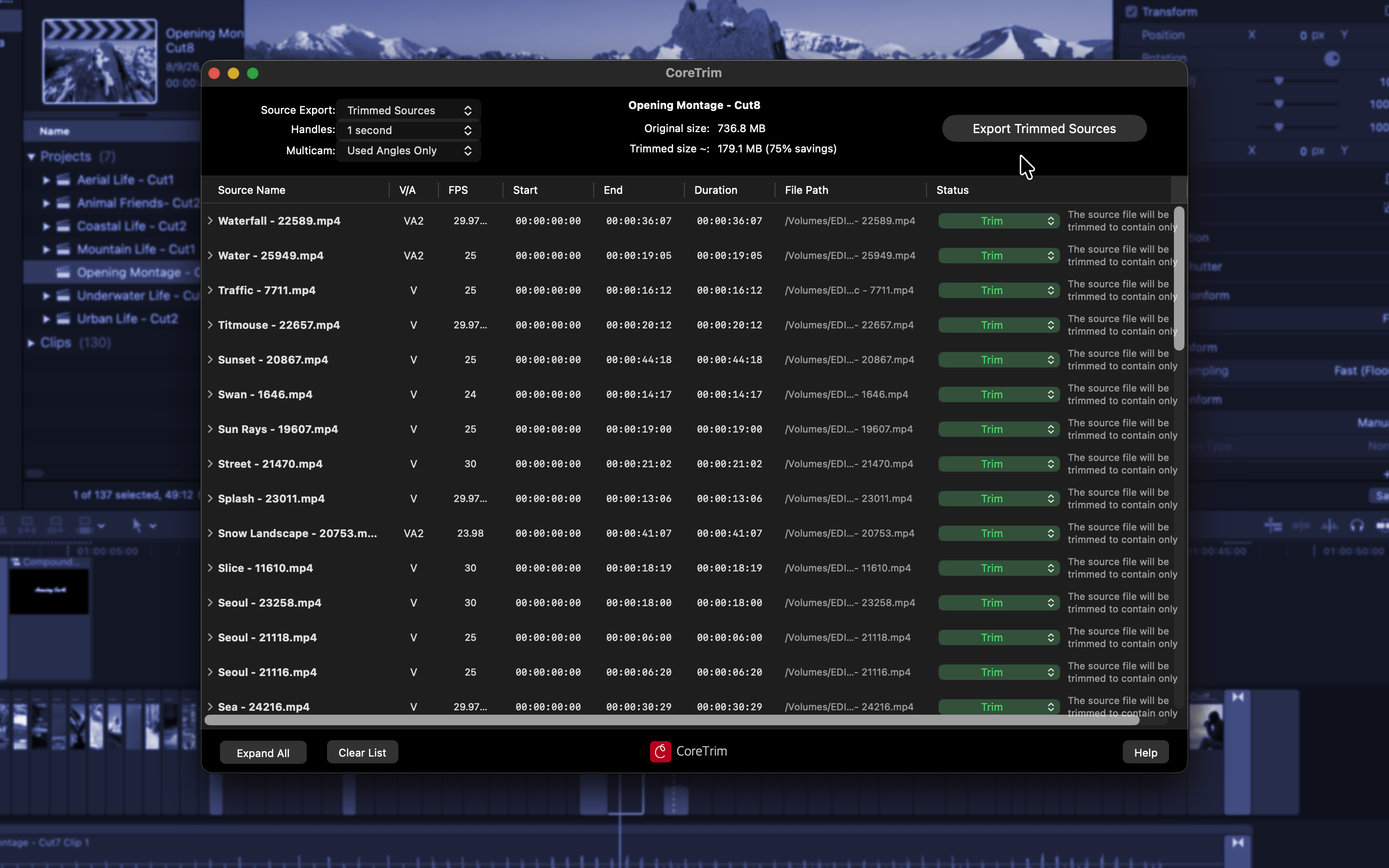
CoreTrim runs inside Final Cut Pro. Drag a project in and it analyzes every source, exports only the ranges the timeline plays — plus user-chosen safety handles — and writes a relinked project file that imports back into Final Cut identically. Archives that were terabytes become gigabytes.
CoreTrim never assumes a file can be trimmed safely — it proves it. Before export, every source is put through a battery of tests that examines the file itself, not just its format label, and a file is only trimmed once it has demonstrated, on its own media, that the result will be flawless. Anything that can't be proven safe is copied in full instead — safety always wins over savings.
The finished archive is held to the same standard. After export, every output file is checked against the edit it must serve — the timeline plus handles, never less — and the relinked project file must pass a final verification before it is written. If anything fails, CoreTrim refuses to write an importable project file rather than hand the editor a broken one.
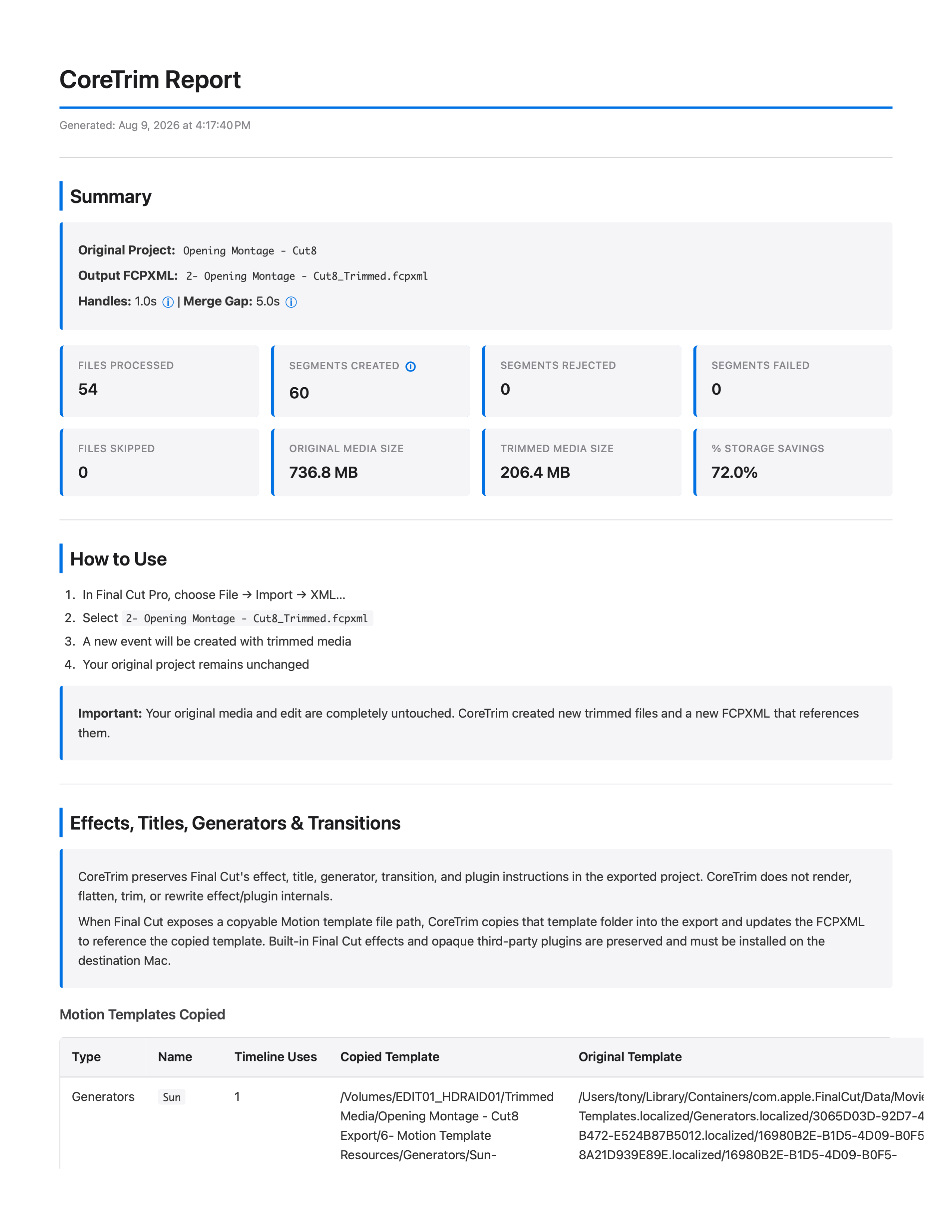
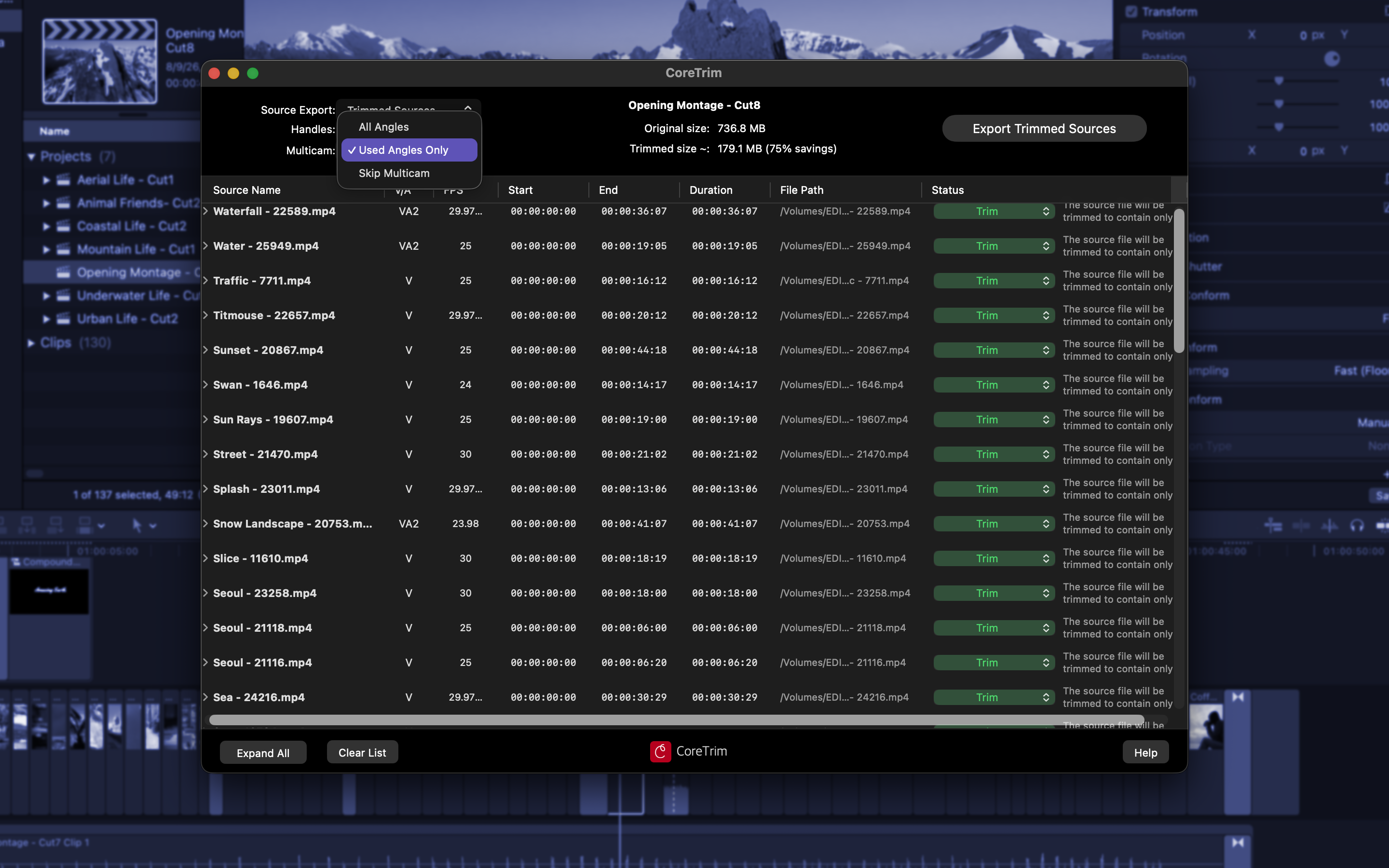
CoreTrim is a Workflow Extension that exports a Final Cut Pro project with only the media the timeline actually uses, trimmed by stream copy with no re-encoding, and relinked so it imports back into Final Cut identically. Every source must prove it can be trimmed flawlessly before CoreTrim commits to a method, and the finished archive — media and project file alike — is verified again before it ships. Originals are never touched, anything that can't be proven safe is copied in full, and every export includes a report of exactly what was done. Multicam projects can keep all angles or be checkerboarded down to the shots in the cut.
"Every editor I know archives terabytes of media just to preserve a few minutes of their edit, because there isn't another option. That's what CoreTrim is — the other option." — Tony Black, developer, Edit-Tools
Full-resolution screenshots (plan view with per-file recommendations and savings, export report, multicam options), the app icon, a complete real export report, a format-support reference, and this fact sheet are included in the press kit folder. Additional formats, a walkthrough, or an interview are available on request.
Screenshots: CoreTrim-plan-view.png · CoreTrim-report.png · CoreTrim-multicam.png — full resolution, or see the contact sheet in CoreTrim-Press-Kit.html.